Review duplicate photos across iCloud a month at a time

With iCloud Photos on, most duplicates are not on the iPhone at all: the phone keeps small copies of older photos and the originals sit in iCloud, so a tool that scans only the phone's files sees a fraction of them. Photos' own Duplicates album, under Utilities, checks the whole library and merges what it is sure about. For the rest, the near copies, bursts and retakes, it helps to go through them a small batch at a time instead of facing thousands of groups at once. Yado compares the whole library through Photos on the Mac and hands you the duplicates a month or a year at a time, decided with the keyboard.
Why duplicates in iCloud are hard to see
With Optimize iPhone Storage on, which most phones with a large library use, the iPhone swaps full originals for smaller versions when space runs low, starting with the photos you open least, and downloads the original when you open one. Apple describes this in its iCloud Photos guide. A cleaner that reads the phone's files over the cable, or one that runs on the phone without downloading, compares only what is stored locally, which on a big library can be a small share of it.
Duplicates also come from more than one place. A photo saved again from Messages, an import from an old camera that was already in the library, a burst kept whole, three retakes of the same group shot. Some are byte-for-byte copies, most are close but not identical, and the two need different handling.
Start with Photos' Duplicates
On the iPhone, open Photos (on iOS 26, tap Collections first), scroll to Utilities and tap Duplicates. Photos lists the copies it found in the library, and Merge combines each set into one, as Apple's guide to merging duplicates explains. If the album is missing, Photos has found no duplicates yet, and after a large import it can take a while to analyze the library.
Merge is safe and quick, and it is the right first step. It is also deliberately narrow: it does not group near copies, retakes or slightly cropped saves, which is where most of the space usually is. Deleting duplicate photos on iPhone covers the near copies in general.
Review a batch at a time
Thousands of duplicate groups in one list is how a cleanup gets abandoned halfway. Breaking them into batches by month or year keeps each sitting short, and photos from the same few weeks are easier to judge together, since you remember the day.
Yado does this in its Duplicates view. The footer offers a round, named after what it covers, such as Review July 2023 or Review 2023, and picks the month that frees the most space first, falling back to a year when no single month has enough groups, then to the rest. A round holds up to 20 groups, the ones that free the most.
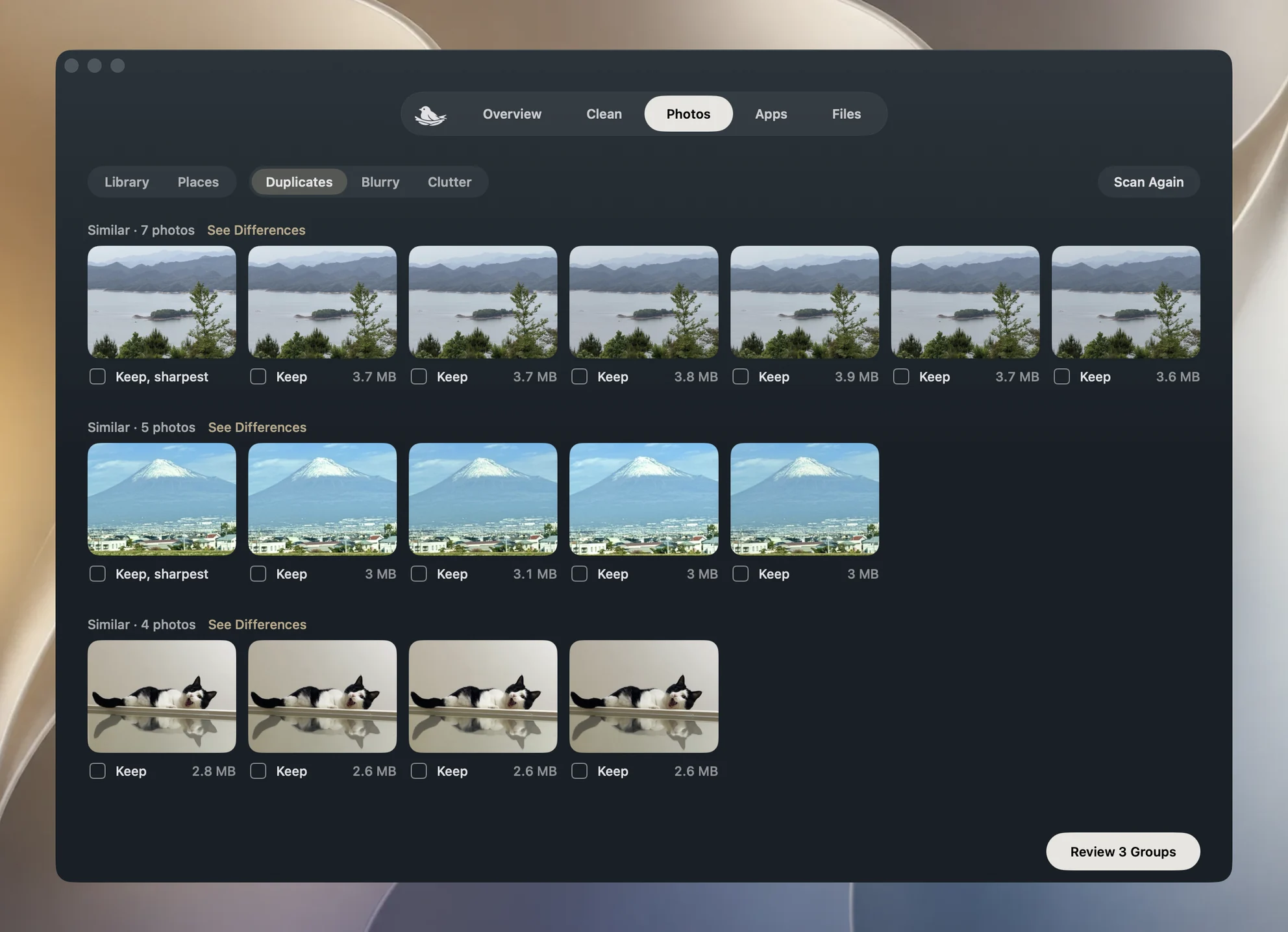
Each group shows its photos with the date, how long ago it was, and the place, taken from the city the iPhone already recorded, with nothing sent anywhere. One photo is marked as the keeper with a short reason, such as sharpest, eyes open or in an album, and the rest are ticked. The keyboard does the work:
| Key | What it does |
|---|---|
| Space or Return | accept the ticks and go to the next group |
| Right Arrow | skip the group |
| Left Arrow | go back |
| 1 to 9 | keep only that photo |
| K | keep all |
| Z | undo the last answer |
| Esc | leave the round |
No key deletes anything. A round only records your answers, and the end page totals them, how many to keep, how many to delete and how much space that frees, with one Delete button and Not Now beside it. Deleted photos go to Recently Deleted, and the end page reminds you that the space comes back once that album is emptied.
Clear exact copies in one step
When a library has three or more groups of byte-for-byte copies, Yado offers them as their own round first and goes straight to its end page: keep one of each, delete the rest. A group counts as exact only when the iPhone's own record of the original file matches, and only when nothing in it is a video, an edited photo, a favorite or a shared photo, and the copies sit in the same albums. Anything less certain goes through the normal review.
How the keeper is chosen
Yado picks the keeper by what actually differs between the photos in a group. A photo already filed in one of your albums counts most, as long as it is not much smaller than the largest copy. Eyes open counts next, but only between frames of the same people, then the best faces. Sharpness, how good the picture looks, the light and the resolution decide the rest. A measure counts only where the photos differ, so a group of equally sharp shots is decided by something else. Favorites start unticked, and receipts or whiteboards are judged on sharpness and resolution alone.
The reason under the keeper says which of these decided it. If you prefer another photo, press its number.
The whole library, with iCloud Photos on
On an iPhone with iCloud Photos on, Yado compares the whole library rather than only the files on the phone. It reads the copies through Photos on this Mac, which syncs the same iCloud library, without downloading the originals, and lists copies on the iPhone and in iCloud together.
Deleting then goes through Photos on the Mac with macOS's own confirmation, and iCloud carries the deletion to the phone and your other devices, as explained in why a Mac can't delete iPhone photos with iCloud Photos on. For this the Mac has to be signed in to the same Apple Account with iCloud Photos on, and Yado needs access to Photos, which macOS asks for the first time. Videos, burst frames and Shared Library photos stay out of the whole-library comparison.
FAQ
Why does Photos' Duplicates find fewer than Yado?
Photos merges only copies it is sure are the same picture. Yado also groups near copies and retakes, which a round ticks one group at a time for you to review, not deleted.
Does a round delete anything if I quit halfway?
No. Answers in a round are only ticks until you press Delete on the end page, and a confirmation asks again before photos go, Yado's own card over the cable or macOS's when the deletion goes through Photos on the Mac.
Will the deletion reach my other devices?
With iCloud Photos on, yes, since it is one library. Deleted photos stay in Recently Deleted for 30 days on each device.